
Convert long video into Shorts & Reels
Convert videos to reels in seconds with our free short form video editor — no software, no watermark, no sign-up.
Please ensure you have the rights to the videos you upload or have full permission to use them.
Short form video editor
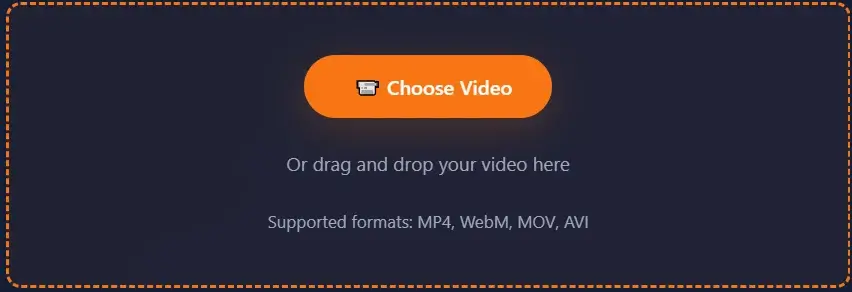
Or drag and drop your video here
Supported formats: MP4, WebM, MOV, AVI
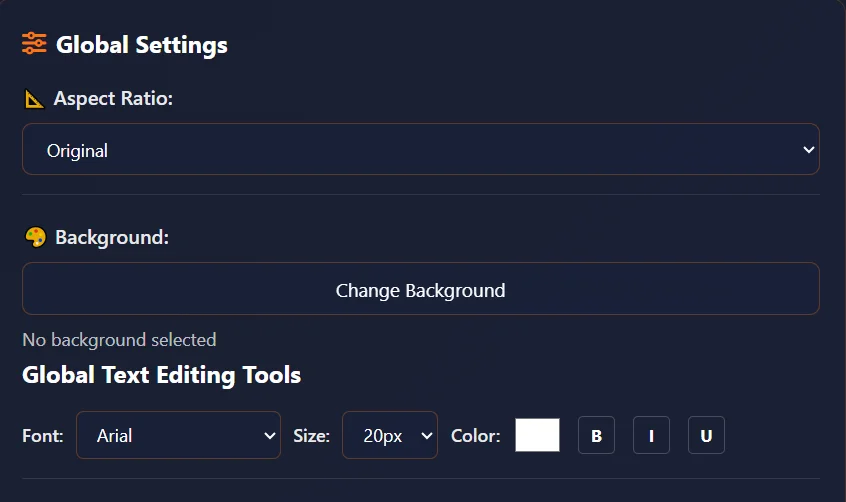
Global Settings
Global Text Editing Tools
Upload a video to start editing
Tools That Complement Your Shorts Workflow
After generating your shorts and reels, these tools help you refine, repurpose, and promote your short-form content further.
Video Trimmer
Trim your long video to the best segments before converting to shorts — removes filler footage so every generated short starts and ends with engaging content.
Trim FirstFrame Extractor
Extract a high-quality thumbnail frame from each generated short to maximize click-through rate on YouTube Shorts, Instagram Reels, and TikTok.
Grab ThumbnailsVideo Merger
Merge multiple short clips into one compilation reel — combine your best shorts into a single video for a highlights reel or recap post.
Merge ShortsAudio Extractor
Extract the background music or voiceover from your original long video, then reuse that audio track across your generated shorts for consistent sound.
Extract AudioVideo Splitter
Split your video at specific timestamps first, then convert only the best segments into shorts — gives you more control over which parts become short clips.
Split Then ConvertInterval Countdown Editor
Add countdown timers or interval markers to your generated shorts — perfect for workout videos, recipe shorts, or time-based challenge content on TikTok and Reels.
Add CountdownsMulti-Reel Builder
Place up to 3 shorts side-by-side in a single frame to create comparison reels, before-and-after content, or multi-angle previews for Instagram and TikTok.
Build Multi-ReelShorts creator tool is intended for creating shorts from personal or properly licensed content only. Users are responsible for ensuring they have rights to all uploaded media.
How to convert videos to reels?
Follow these simple steps to create engaging short-form videos with ClikDeo
Upload Your Video
Select your video file by clicking 'Choose Video' button or dragging and dropping. Supports MP4, WebM, MOV, and AVI formats. This is the first step to create shorts for your YouTube channel.
Configure Global Settings
Set global aspect ratio (9:16 for TikTok/Reels, 16:9 for YouTube), background, and text styling that will apply to all generated shorts. Use the global text tools for consistent branding across all clips.
Set Duration and Generate
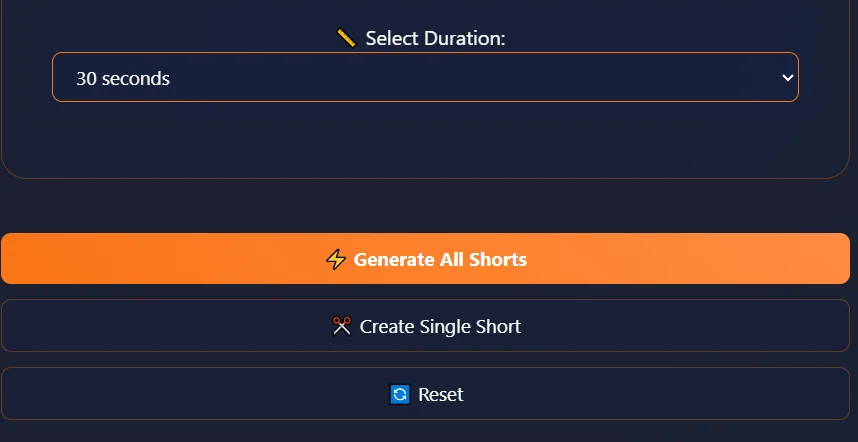
Choose preferred short duration (15, 30, 60, 90, 120, or 180 seconds) and click 'Generate All Shorts' to convert videos to reels. The tool divides your long video into as many shorts as possible based on your duration choice.
Download & Share
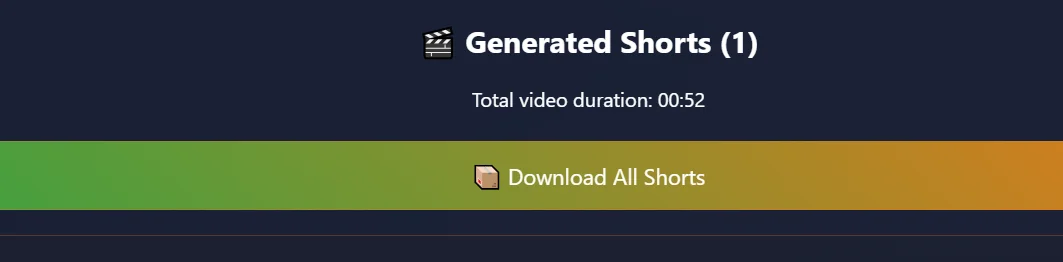
Preview your shorts and download them individually or as a complete set. Perfect for TikTok, Reels, YouTube Shorts, and other platforms.
About Shorts Creator
Learn how to create reels from a YouTube video automatically. What this tool does, how it came to be, and where your creations can go
What is Shorts Creator?
Shorts creator is a free online tool that transforms your long videos ( interviews, tutorials, vlogs, gameplay, Lectures, YouTube videos) into multiple short clips (Shorts) with just few clicks. You can simply use this tool as video to YouTube shorts converter or video to Instagram reels converter. All you need to do is to upload your video, select the duration of shorts you want (15 seconds up to 3 minutes), and the tool will split the whole video into small shorts. You can add text overlays, change backgrounds, or customize the shape of each generated video (like 9:16 for TikTok or 16:9 for YouTube). The best thing about this tool is that it processes your videos locally in browsers. You can generate as many shorts as you want without worrying about upload limits.
You can convert any MP4 to a YouTube Short automatically without trimming each segment manually. Our tool handles everything in one click.
History of Shorts — The Timeline
Vine launches — Vine was the first major platform to popularize short-form videos. It allowed users to create 6-second looping clips. Vine's success showed that there was a huge audience for short, easily consumable video content.
Instagram Stories & Reels prototype — After seeing Vine's success, Instagram decided to get into the short video game. They launched stories in 2016, which were 15-second vertical videos and after that Instagram users shifted from photos to videos and that was the start of reels, and short form videos era.
TikTok (then Musical.ly merge) — TikTok's algorithm exploded the popularity of short videos globally. TikTok's success forced every other platform to prioritize short-form content and suddenly, 15-60 second clips were the main content type for millions.
YouTube Shorts beta — YouTube launched shorts in 2020 but only in India at first then globally in 2021. YouTube added a dedicated shorts creation tool in the app, allowing users to take part in the short video trend. This was the time when "Shorts" became a standard term for short-form videos.
The explosion of Shorts tools — After the term "Shorts" became mainstream, every platform started adding their own version of shorts like Facebook Reels, Snapchat Spotlight, Twitter videos, LinkedIn video notes, Pinterest Idea Pins.
AI & batch processing — As shorts became the main content format for millions of creators, the demand for tools to create shorts from long videos skyrocketed. This tool is built to fulfil that demand. This shorts creator allows to pick a duration and it automatically generate all possible shorts from your long video in one click.
Mechanism — How does this tool actually create shorts?
Our tool uses a combination of HTML5 video processing, canvas drawing, and the MediaRecorder API to create shorts from long videos. Here's a step-by-step guide to how you can generate shorts:
- 1. Video loading — You select a video file from your computer. Tool uses the FileReader API to load the selected video into video element.
- 2. Timeline splitting — After selecting video, tool calculates the total duration of selected video, then divides the video timeline into equal segments. For example, if video is 5 minutes long and you chose 30-seconds short, it divides the selected video into 10 possible shorts (0-30, 30-60, etc.).
- 3. Canvas rendering — For each short segment (Like 0-30 seconds), tool uses hidden canvas element to draw the video frames. While drawing, it applies any global settings you chose, like it draws your chosen background (Solid color or a pattern like stripes, galaxy, wood, etc.) and then it adds text overlays (upper and lower text) with the selected font, size, color and styling.
- 4. Recording — After rendering the video frames with the canvas, The canvas stream is combined with the original audio from video. Then the MediaRecorder API is used to package it into a WebM video file.
- 5. Download — When you hit "Download", the browser saves that MP4 file to your computer. Nothing is stored on any server.
Keep in mind one thing clearly — the local processing is slower for long videos because your CPU has to do all the work. So if the processing takes a while, just be patient. Just let it do its thing and it will generate your shorts without any issues.
Where can you use these shorts?
The shorts you create with Shorts Creator are just regular video files (MP4 or WebM) that you can upload anywhere. Just download the created shorts to your computer and share them on any platform. Most popular platforms to upload shorts are:
Pro tip: When uploading to platforms like YouTube or TikTok, make sure to optimize your title, description, and related hashtags to maximize visibility. If you use 9:16 aspect ratio, it will look best on mobile apps by filling the whole screen. But if you work with 16:9 aspect ratio, it will look best on YouTube and desktop.
What does the term "Shorts" actually refer to?
The word "Shorts" comes from "Short Videos". It was popularized by YouTube when they launched their short-form video feature called "YouTube Shorts". But in everyday creator talk, "Shorts" mean any brief, vertical or square video clips that are designed especially for quick consumption on mobile devices. In TikTok, we called them "Videos". In Instagram, they are "Reels". But the concept and idea is the same — short, engaging videos that can be easily watched and shared on social media.
In this tool "Shorts" means short video clips generated from your long videos. You can create shorts of any duration between 15 seconds to 3 minutes. So, whether you are making YouTube shorts, TikTok videos, Instagram Reels, or just shorts clips for personal need, it's all shorts in the generic sense.
Important Note:
Keep in mind one thing that our tool does not have any feature to directly upload shorts to any other platform. It only creates shorts from long videos. You have to download the generated shorts and then upload them to your desired platform manually.
What To Do With Your Generated Shorts
Your shorts are ready to download — but your content workflow does not have to stop here. These ClikDeo tools help you get more value from every short you created.
- Extract thumbnails from each short — Download a high-quality frame from every generated short to use as a custom thumbnail on YouTube Shorts, Instagram Reels, and TikTok instead of relying on auto-generated covers.
- Fine-tune individual shorts — If a generated short has a slow start or extra footage at the end, trim it down to the exact hook-to-end range for tighter, more engaging clips.
- Combine shorts into a highlight reel — Merge your best-performing shorts into one compilation video for a weekly recap, channel trailer, or Instagram carousel post.
- Split a long video first for selective conversion — If you only want certain segments converted into shorts, split the video at specific timestamps first, then convert just those segments.
- Reuse audio across your shorts — Extract the background music or voiceover from your original video and layer it onto your shorts for consistent audio branding.
- Create side-by-side comparison reels — Place 2 or 3 of your shorts in a single frame to make before-and-after content, reaction reels, or multi-angle previews for TikTok and Instagram.
- Add countdown timers to your shorts — Overlay interval countdowns onto your generated shorts for workout videos, recipe content, or time-based challenge formats that perform well on short-form platforms.
Shorts Creation Tips & Best Practices
Maximize your engagement with these proven strategies for creating viral short-form content
Hook Viewers Immediately
Your shorts should have most engaging moment in the first 3 seconds. Use attention-grabbing backgrounds or text to prevent scrolling.
Optimize Aspect Ratios
Use 9:16 vertical format for TikTok/Reels/Shorts. For YouTube long videos, 16:9 works best. Preview first, how your content will appear on mobile.
Strategic Text Placement
Place important text in the center third of the screen. Use the most attractive fonts and colors to grab user's attention.
Background Selection
Choose backgrounds that fit your content without distracting from the main message. Use solid colors for professional look, stylish patterns for creative projects.
Consistent Branding
Use the same fonts, colors, and text positions across all your shorts. This will increase your shorts visibility.
Optimal Duration
Keep shorts between 15-60 seconds. The sweet spot is 25-35 seconds - long enough to deliver value, short enough to maintain attention.
Shorts Creator Privacy
Browser-based Shorts creator tool with privacy considerations.
Shorts creator tool creates all shorts within your web browser. Uploaded videos are handled locally and are not uploaded to any server for storage or processing. Each short is generated locally using browser-based processing technology.
Local Video Processing
All shorts generation, including text overlays and aspect ratio adjustments, is processed in your browser without any external uploads.
Browser-Based Handling
Video content and shorts generation is processed within your browser environment during editing sessions.
Secure Text Processing
Custom text overlays, font styling, and text positioning are all handled locally within the browser interface.
Background Processing
When you apply backgrounds (solid colors or stylish patterns) to your shorts, these are generated locally. No background images are fetched from servers, ensuring your shorts maintain privacy.
How Shorts Generation Works
Uploaded videos are processed within your browser memory during active editing sessions. Generated shorts are saved to your device through standard browser download mechanisms.
Best Free Tools to Convert Long Video into Shorts 2026
Comparing ClikDeo against dedicated AI clip-generator tools built specifically to turn long-form video into short clips — not general editors — based on each provider's own published pricing and help pages as of September 2026.
- ClikDeo – Best for unlimited free shorts with no watermark and no monthly minute cap.
- Opus Clip – Best for AI-detected viral moments, though free plan caps at 60 minutes/month with a watermark.
- Vizard AI – Best for auto-captions and B-roll, though free exports are watermarked at 720p.
- Kapwing Clip Maker – Best for team collaboration, though free exports are capped at 1 minute with a watermark.
| Tool | Free | Watermark-Free | Local Processing | Free Monthly Limit | Signup Required |
|---|---|---|---|---|---|
| ClikDeo | Yes | Yes | Yes | No cap (browser-limited only) | No |
| Opus Clip | Yes | No | No | 60 min of source video | Yes |
| Vizard AI | Yes | No | No | 60 min of source video | Yes |
| Kapwing | Yes | No | No | 1 min per export | Yes (to export) |
Free-tier limits reflect each provider's own published pricing and help pages as of September 2026 and may change — always confirm on the provider's own site before relying on a specific number.
Frequently Asked Questions
Honest answers to what creators actually search for about making shorts from long videos
Click Create Now button and upload your long video, choose your preferred short duration (15 seconds up to 3 minutes), configure your aspect ratio, optional text and other global settings like background, Font style, and Font size.Then click Generate All Shorts. The tool automatically splits your entire video into short clips based on the duration you selected — all processed locally in your browser, completely free with no watermark and no sign-up needed.
Upload your long video, set the Aspect Ratio to 9:16 (YouTube Shorts' required vertical format) in Global Settings, choose a duration of 15–60 seconds, and click Generate All Shorts. Download your generated clips and upload them directly to YouTube's Shorts section. Use 16:9 aspect ratio to create regular YouTube horizontal videos.
The number of shorts depends on video length and the duration you choose for shorts. The tool divides your video's total length by your selected short duration and then create short clips. For example, a 10-minute video with 30-second shorts generates 20 clips (0–30s, 30–60s, 60–90s, and so on). A 30-minute video with 60-second shorts generates 30 clips.
Use 9:16 aspect ratio for all three — TikTok, Instagram Reels, and YouTube Shorts. All these platforms use the same vertical phone-friendly ratio. This fills the entire phone screen when viewers watch. Use 16:9 for standard YouTube uploads and desktop viewing. Use 1:1 square for Instagram feed posts and LinkedIn. The tool offers 9:16, 16:9, 1:1, 4:5, 4:3, and 21:9 aspect ratio to cover all your needs.
Yes — this is exactly the reason why Global Settings panel is for. Enter your text in the Upper Text and Lower Text fields, choose your font, size, color, and styling (bold, italic, underline), and these settings automatically apply to every short that gets generated. You can also add labels as "Part 1," "Part 2,", by enabling Add numbering checkbox — perfect for serialized content and episode-style posting.
Based on platforms' algorithms, the ideal duration for shorts is between 25 and 45 seconds. Long enough to deliver value and meaningful message, but short enough to maintain viewers' attention(which platforms reward with better reach) . For TikTok and Instagram Reels, 15–30 seconds performs best for new accounts. For YouTube Shorts, 45–60 seconds tends to generate more watch time. Our tool supports 15, 30, 60, 90, 120, and 180 second durations so you can test what works best for your audience.
Generate All Shorts button is used to create as many short clips as possible based on your selected duration. Create Single Short uses the timeline handles to let you manually select a specific start and end point, then generate just that one clip.
Yes. Simply click the Change Background button in the Global Settings panel to select from solid colors, gradient patterns, or stylish textures like stripes, galaxy, or wood effects. The background you choose applies to all generated shorts consistently. This is useful when you want to give your shorts a cohesive look or match your brand colors.
Download your YouTube video or podcast episode to your computer. Then upload your video to Shorts Creator tool, set your desired short duration, choose 9:16 aspect ratio, add your channel name as upper text and series label as lower text with numbering enabled. Click Generate All Shorts and the tool will automatically create multiple clips from your long video, each with your branding and selected duration — perfect for sharing on TikTok, Instagram Reels, YouTube Shorts, and more.
No. All processing — splitting, canvas rendering, text overlay application, background generation, and audio handling — happens entirely inside your browser using HTML5 video processing, canvas drawing, and the MediaRecorder API.
Because all processing happens locally on your device rather than on a powerful server. The processing time roughly equals the total duration of all shorts being generated. For example, A 30-minute video generating 30 one-minute clips will take approximately 30 minutes to process. Faster devices with more CPU power and available RAM will process noticeably quicker. Keep the browser tab open and active throughout — switching tabs or locking your screen can slow down or pause processing.
Yes. After generating shorts, you can click the Download All Shorts button to download all the generated clips at once. You can also download each short individually by clicking the download button at the end of each generated short.
Yes. ClikDeo's Shorts Creator is completely free in 2026 with no watermark, no signup, and no monthly minute limits — unlike most AI clip-generator tools, which cap free processing to around an hour a month and add a watermark until you upgrade.